Appearance
Collection Folders
As your number of collections grows, folders help you stay organized. You can create folders, nest them inside each other, and move collections between them.
Creating a Folder
- On your dashboard, click the folder-plus icon (Create folder) at the top of the sidebar
- Enter a folder name (e.g., "Music", "Trading Cards", "Gifts")
- Optionally choose a parent folder to nest it under
- Optionally pick a color for the folder
- Click Create
Your new folder appears in the sidebar.
Moving Collections Into Folders
- Drag and drop a collection card onto a folder in the sidebar
- Or click the ⋯ (More options) button on the collection's card, select Move to folder, and choose the destination
Collections can be in one folder at a time, or left unfoldered on the main dashboard.
Nesting Folders
Folders can be nested inside other folders up to 10 levels deep, and you can have up to 100 folders in total. For example:
Music/
├── Vinyl Records/
│   ├── Jazz
│   └── Rock
└── CDs
Collectibles/
├── Trading Cards
└── Coins
To create a subfolder:
- Open the parent folder's menu in the sidebar and select Add Subfolder
- Or choose the parent folder when creating a new folder
(The folder-plus button at the top of the sidebar always creates a folder at the root level.)
Navigating Folders
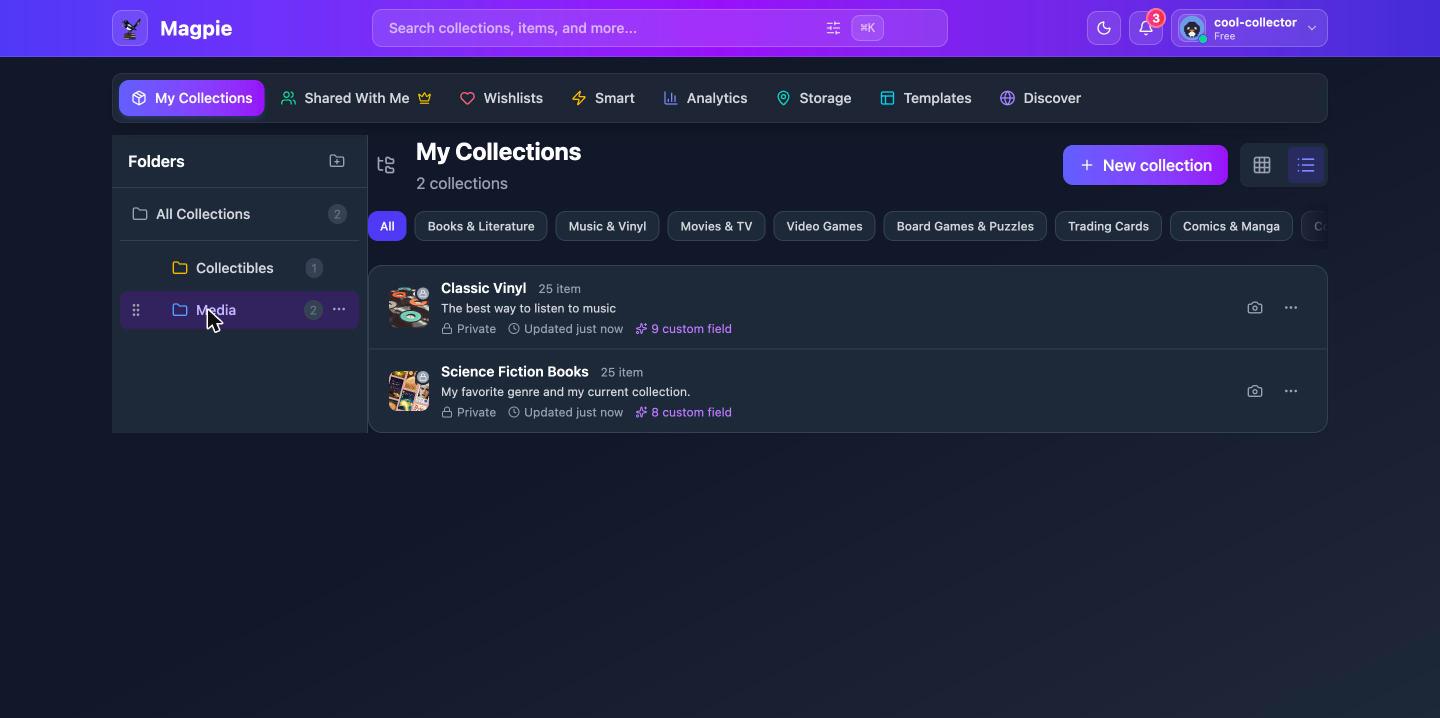
- Click a folder in the sidebar to see its collections and subfolders
- Click the folder breadcrumb trail at the top to navigate back up
- Folders can be collapsed and expanded in the sidebar by clicking the arrow
Reordering Folders
Drag and drop folders in the sidebar to change their order. You can also drag a folder into another folder to nest it.
Personal Organization
Folders are personal to each user. If someone shares a collection with you, you can place it in any of your folders — this won't affect the owner's folder structure or anyone else's view.
Editing and Deleting Folders
Renaming a Folder
- Open the folder's menu in the sidebar
- Select Rename
- Update the name or color
- Click Save
Deleting a Folder
- Open the folder's menu and select Delete Folder
- Confirm the deletion
Deleting a folder does not delete the collections inside it. Those collections are moved back to the root level of your dashboard.