Appearance
Search & Discovery
Magpie provides powerful search tools to help you find items across your collections and discover what other collectors are sharing.
Global Search
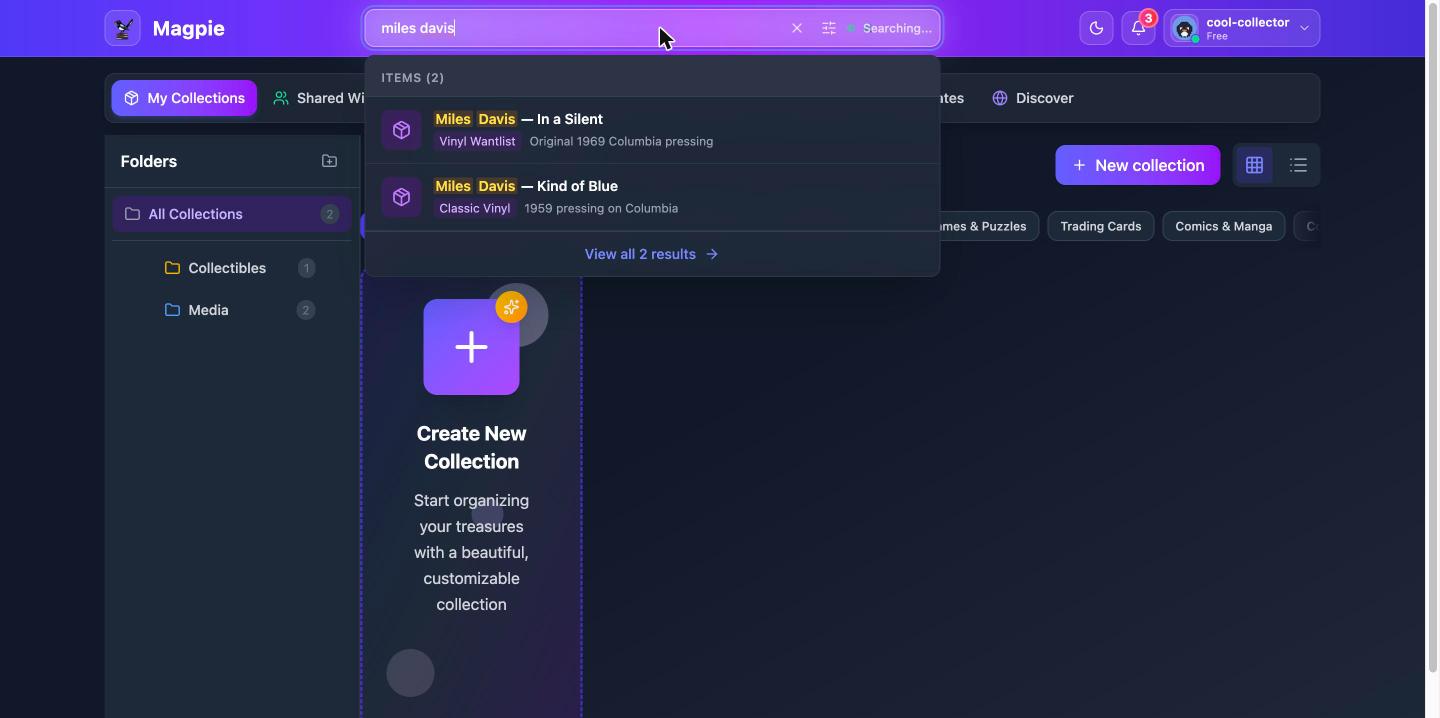
Global search lets you find items and collections across your entire account.
Opening Search
- Click the search icon in the header, or
- Use the keyboard shortcut Cmd+K (Mac) or Ctrl+K (Windows/Linux)
Searching
- Start typing your search query
- Results appear as you type, showing matching items and collections
- Click a result to go directly to that item or collection
Search looks across item names, descriptions, tags, and custom field values.
Search Filters
Narrow your results using filters:
- Type — Search only items or only collections
- Sort — Sort by relevance, date added, or name
- Date added — Limit results to a preset time period (last 7, 30, or 90 days)
- Tags — Filter by specific tags
- Price range — Filter by item value
Saving Searches
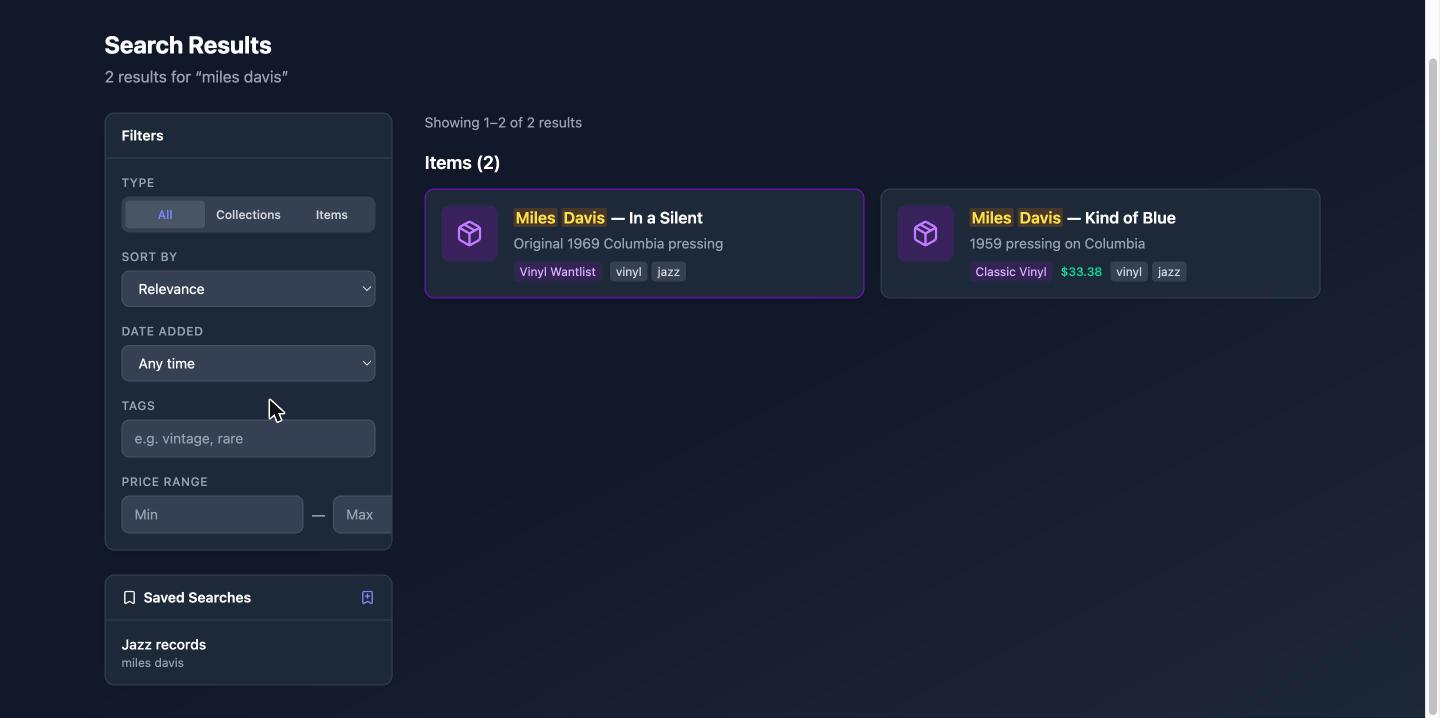
If you run the same search frequently, you can save it for quick access later.
- Run a search with your desired query and filters
- Click Save Search
- Give the saved search a name and save it
To be alerted when new items match your search, turn on the notification toggle for that search in the Saved Searches list.
Managing Saved Searches
Access your saved searches from the Saved Searches section. From there you can:
- Re-run any saved search with one click
- Toggle notifications on or off
- Edit or delete saved searches
You can save up to 25 searches.
Search History
Magpie remembers your recent searches so you can quickly re-run them. Your search history appears when you open the search dialog, showing your most recent queries.
You can clear individual searches from your history or clear the entire history.
Your Following Feed
Once you follow collectors, the top of the Discover tab shows their latest activity — new items and updates across their public collections (and any collections they've shared with you). Click a name to visit their profile, or a collection to jump straight in. On mobile, the same feed lives under the Following tab in Discover.
Discovering Public Collections
Browse collections that other Magpie users have made public:
- Browse by category — Filter public collections by category (e.g., Music & Vinyl, Trading Cards, Books)
- Recommended collections — Personalized suggestions based on your interests
- Recommended users — Find other collectors with similar interests
- Search for collectors — Type a username or display name into the Discover search box to find a specific collector alongside collection results
- Public profiles — View other users' public collections and follow them for updates — see Public Profiles & Community